Getting started
This tutorial walks you from a fresh Flutter app to seeing a live rxdart Subject in the DevTools panel.
Prerequisites
- Flutter SDK installed (
flutter --versionworks) - A Flutter app that already uses (or will use)
rxdart
-
Add the dependency to your app’s
pubspec.yaml:dependencies:rxdart_devtools: ^0.1.1Then fetch it:
Terminal window flutter pub getrxdart_devtoolsis a runtime dependency — its public API is called from your app code. The runtime is a no-op in release builds (see Track a subject — release mode), so leaving it in production is safe. -
Initialise the SDK in
main()beforerunApp:import 'package:flutter/material.dart';import 'package:rxdart_devtools/sdk.dart';void main() {RxDartDevtools.init();runApp(const MyApp());}init()registers the runtime services that surface tracked streams to DevTools. It’s also a no-op in release mode. -
Track a Subject in your app code:
import 'package:rxdart/rxdart.dart';import 'package:rxdart_devtools/sdk.dart';final counter = BehaviorSubject<int>.seeded(0).track('counter').asSubject();counteris a normalBehaviorSubject<int>— the rest of your code is unchanged. Everycounter.add(...)will now be visible in the DevTools panel. -
Run your app and open DevTools:
Terminal window flutter runPress
din the terminal (or use your IDE’s DevTools action) to open DevTools in a browser. -
Open the rxdart_devtools panel — look for the rxdart_devtools tab (wrench icon) in the DevTools toolbar. You should see
counterlisted with its current value (0). Push values to it from your app and they’ll appear live in the Current value card and Event log. -
Watch the Subject update live. As your app calls
counter.add(...), the Current value card refreshes and each emission lands in the Event log: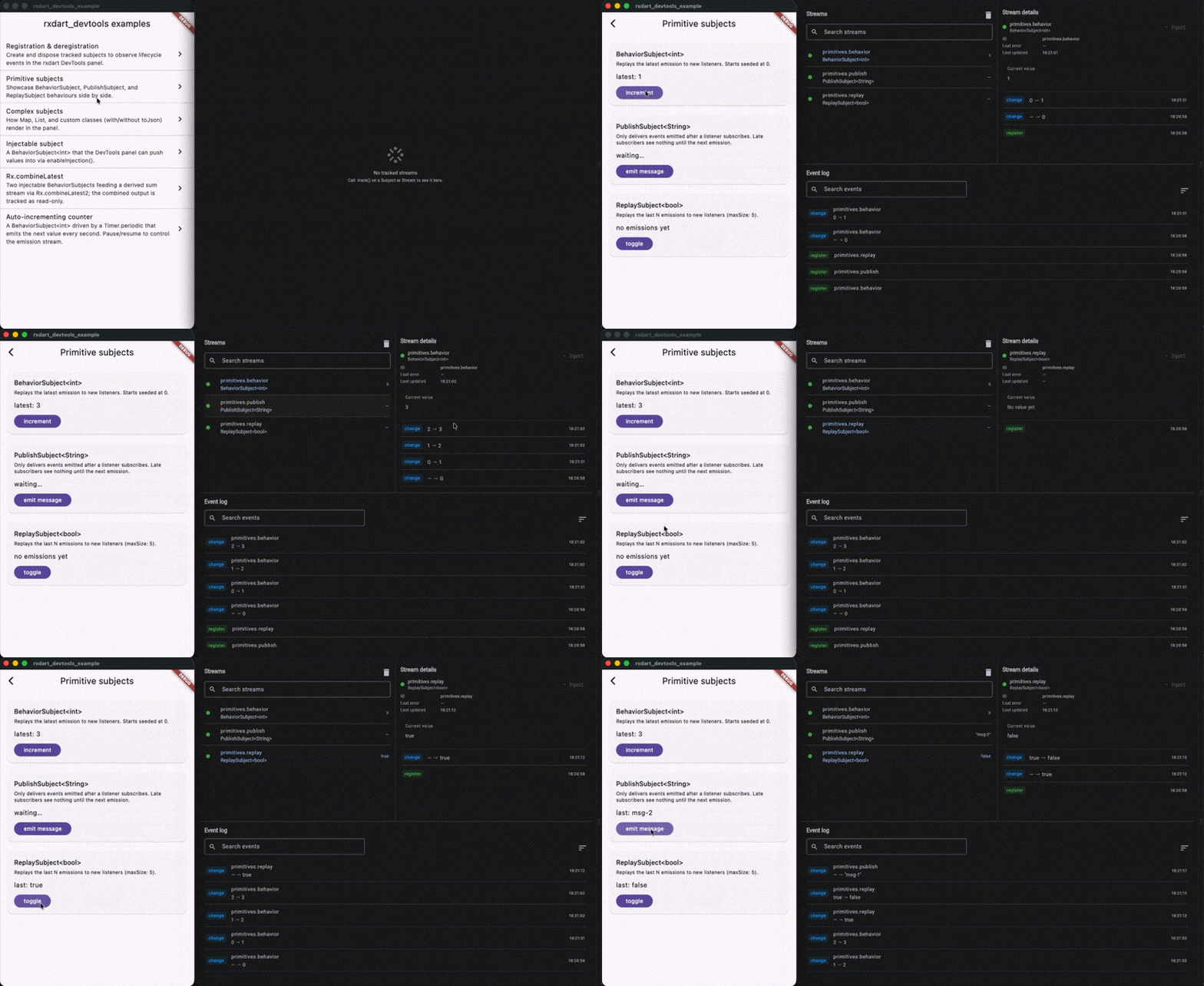
-
Try injecting from the panel — add
.enableInjection(parse: ...)to your Subject and the panel becomes a two-way surface. Type a value, hit Inject, and your stream receives it as if your app had pushed it:final counter = BehaviorSubject<int>.seeded(0).track('counter').enableInjection(parse: int.tryParse).asSubject();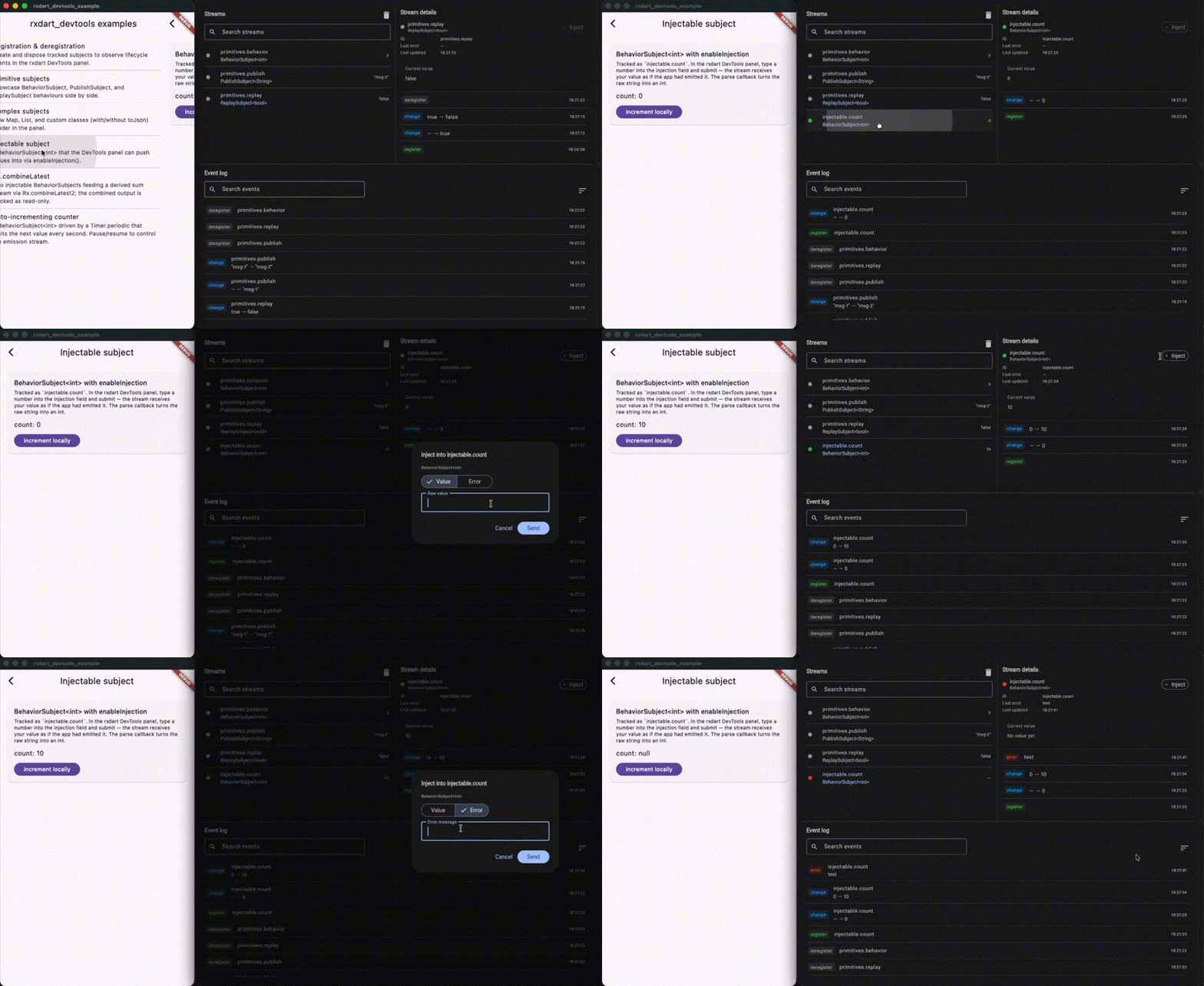
See Track a subject for more injection patterns.
Next steps
- Track a stream — surface derived or external streams.
- Track a subject — enable panel-driven injection.
- Display complex values — render custom types as JSON.
- API reference on pub.dev — the full surface.